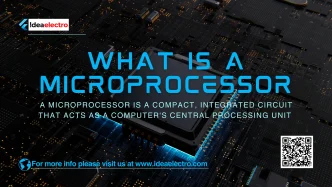

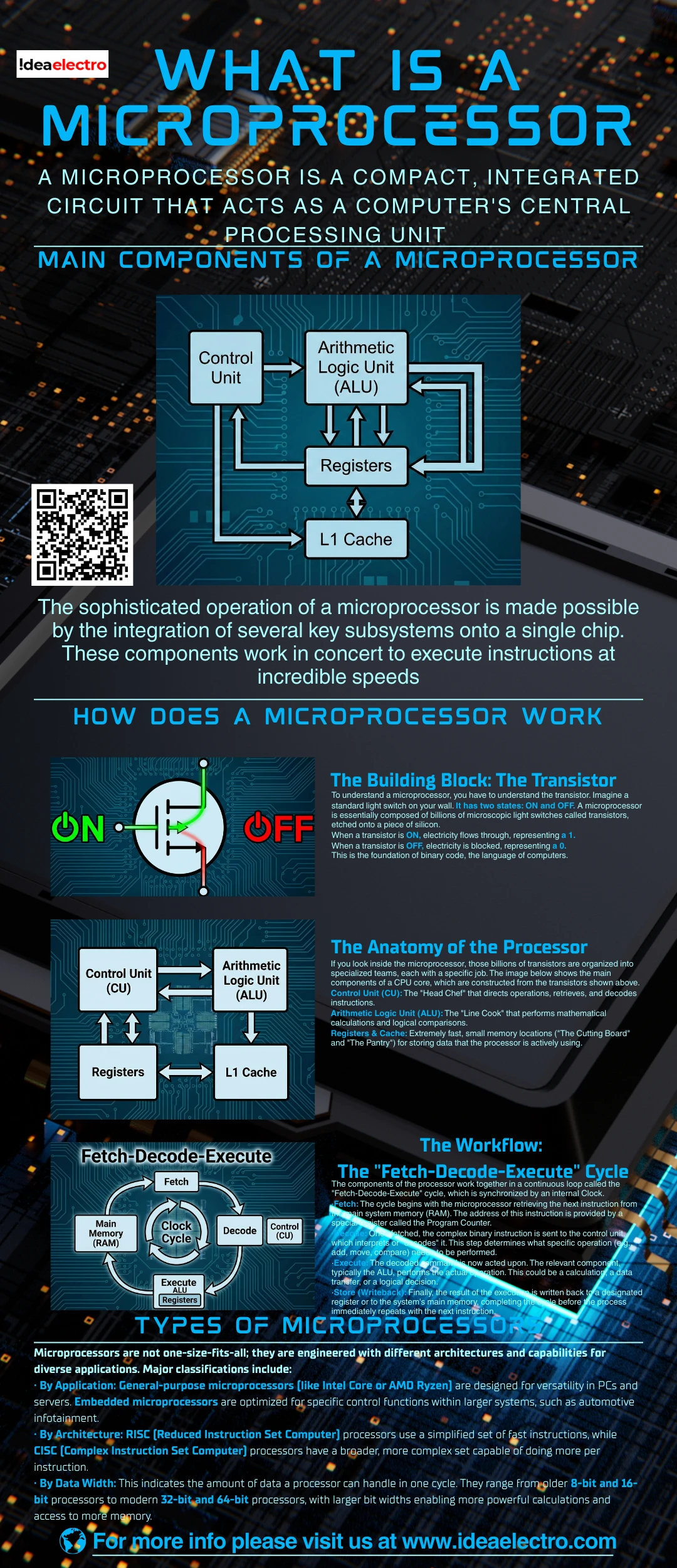
A microprocessor is a compact, integrated circuit that acts as a computer’s central processing unit (CPU). Functioning as the device’s “brain,” it fetches, decodes, and executes program instructions. It performs calculations and logic operations, directing all tasks by processing binary data. This versatile, general-purpose chip handles both computational and control functions, coordinating data flow between memory and other components. Its integration of immense processing power into a tiny package enables its use in countless devices, from personal computers and smartphones to appliances and calculators.
Main Components of a Microprocessor
The sophisticated operation of a microprocessor is made possible by the integration of several key subsystems onto a single chip. These components work in concert to execute instructions at incredible speeds.
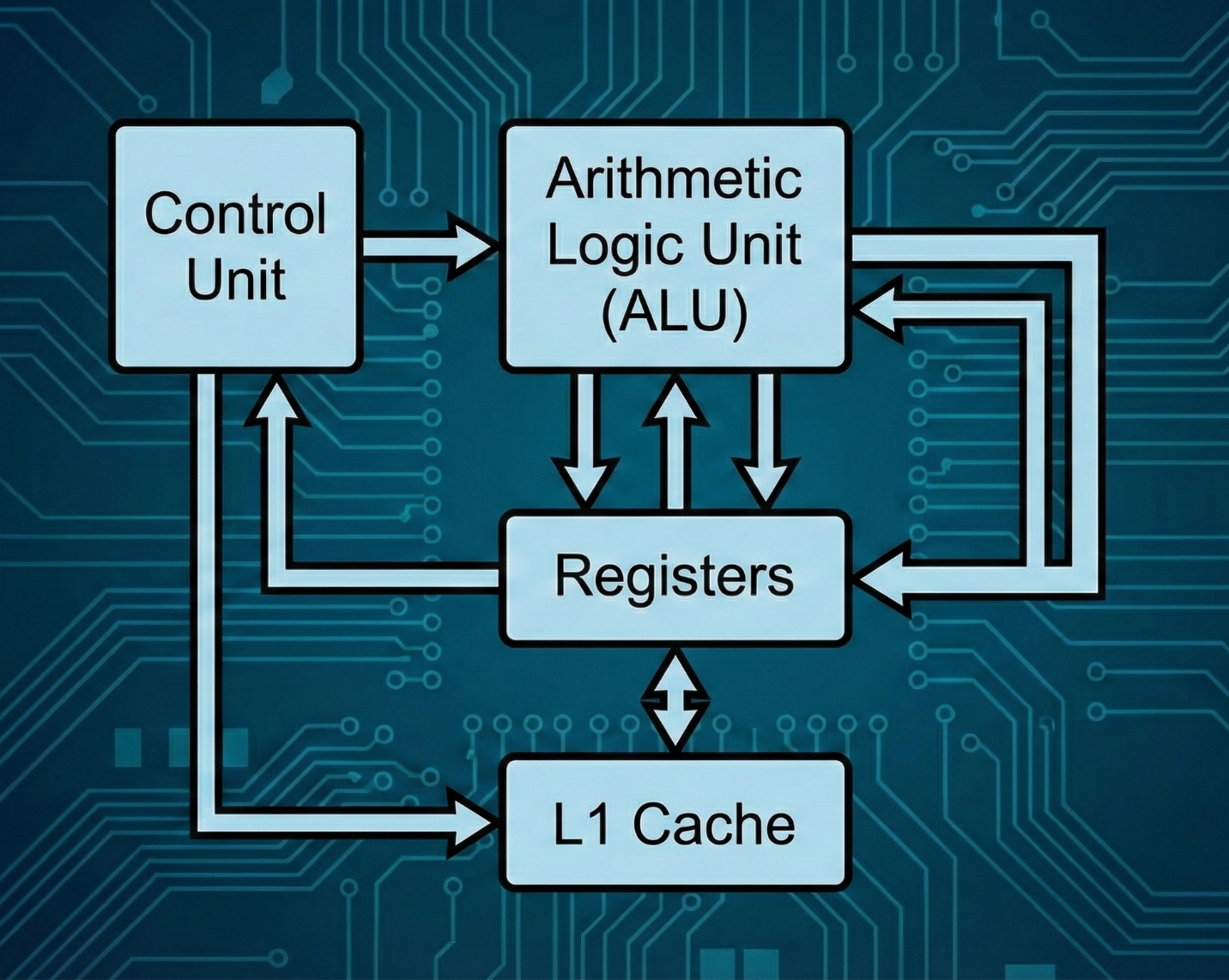
- Arithmetic Logic Unit (ALU): This is the core computational engine. The ALU performs all mathematical calculations(addition, subtraction, etc.) and logical operations (comparisons, AND, OR) as dictated by the program.
- Control Unit (CU): Acting as the command center, the CU interprets instructionsfetched from memory. It then generates and sends the necessary control signals to coordinate the activities of the ALU, registers, and other parts to execute those instructions.
- Registers: These are small, ultra-fast memory locations inside the CPU They provide temporary storage for holding data being processed, instructions in progress, and memory addresses.
- Cache Memory: A small amount of high-speed memory located on or very close to the processor chip. It stores frequently accessed data and instructionsfrom main memory, dramatically accelerating processing by reducing wait times.
How Does a Microprocessor Work?
The Building Block: The Transistor
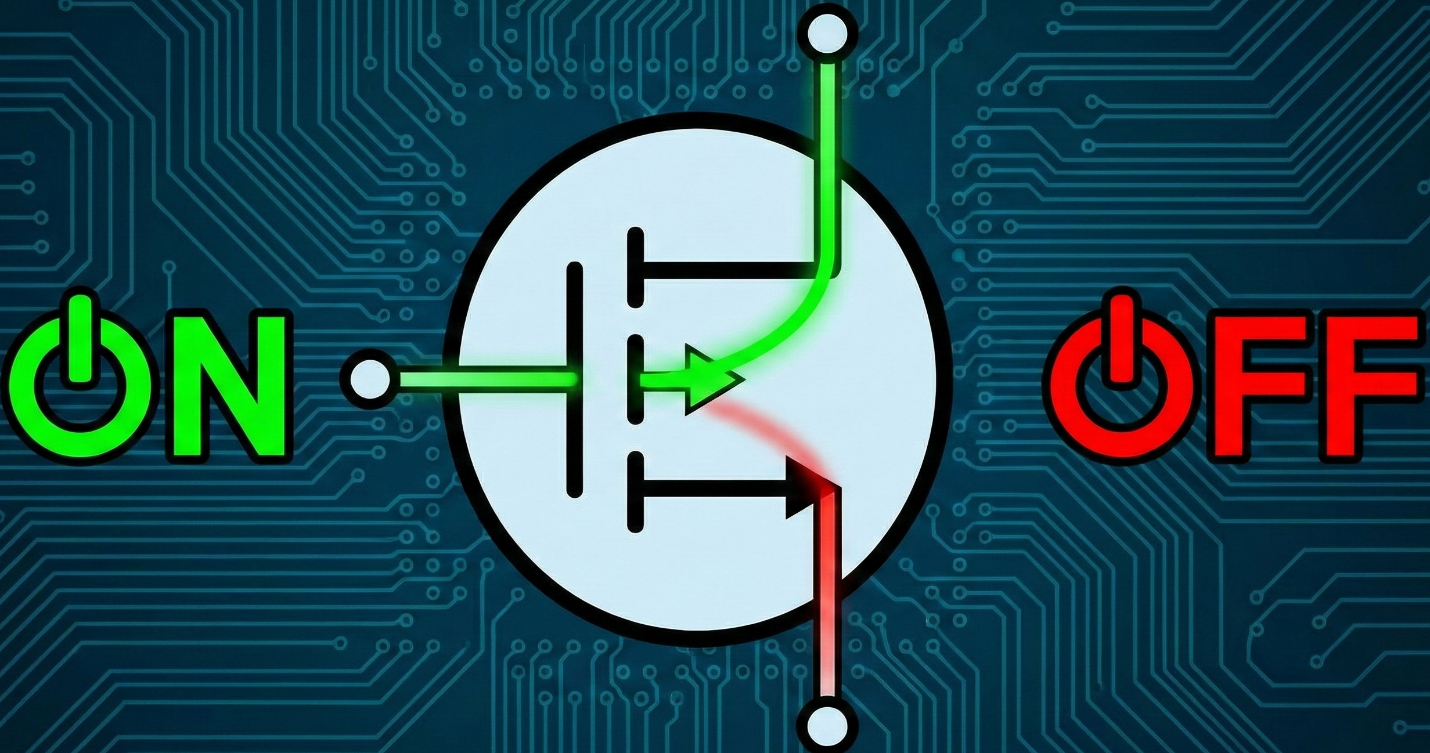
To understand a microprocessor, you have to understand the transistor. Imagine a standard light switch on your wall. It has two states: ON and OFF. A microprocessor is essentially composed of billions of microscopic light switches called transistors, etched onto a piece of silicon.
- When a transistor is ON, electricity flows through, representing a 1.
- When a transistor is OFF, electricity is blocked, representing a 0.
This is the foundation of binary code, the language of computers.
- The Anatomy of the Processor
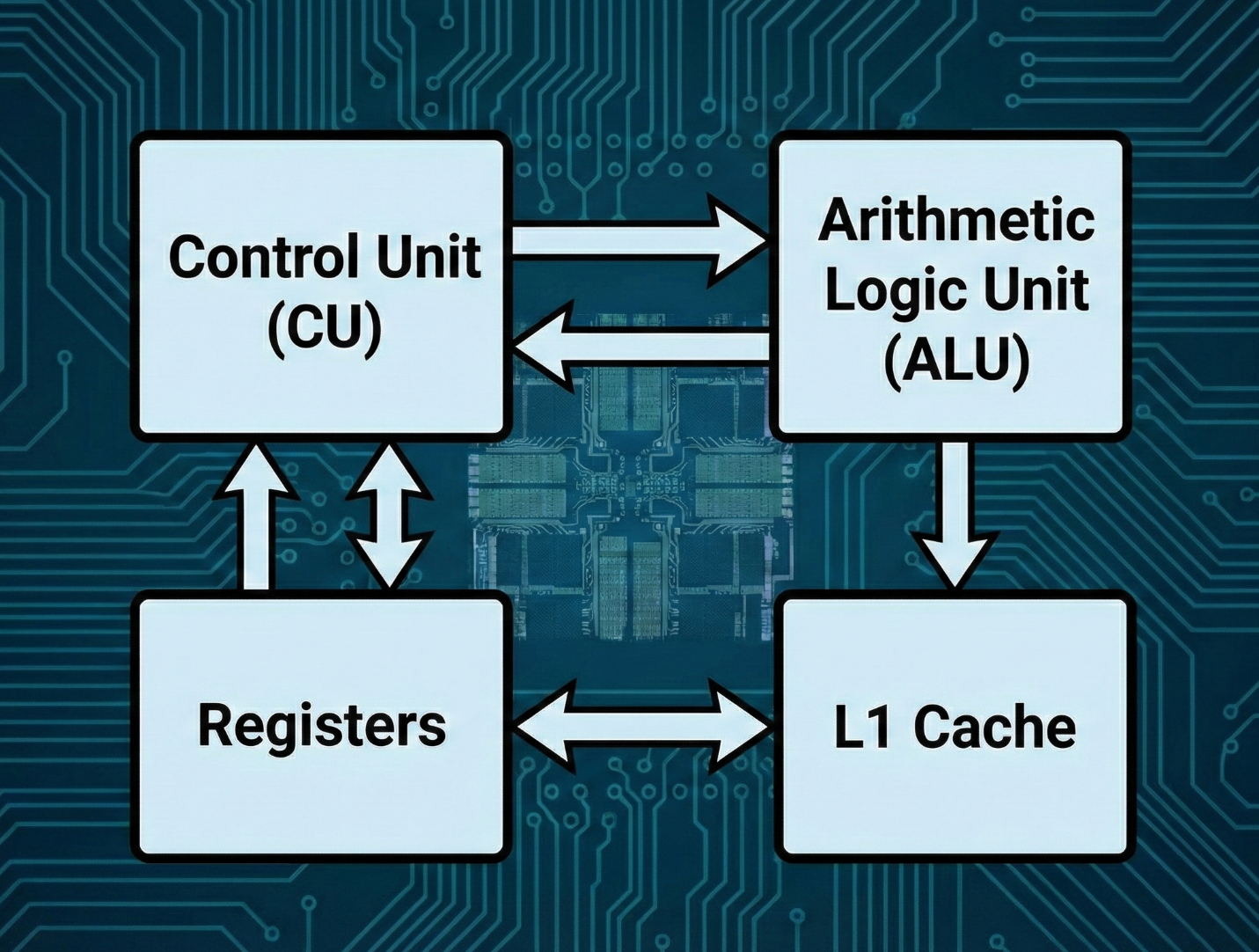
If you look inside the microprocessor, those billions of transistors are organized into specialized teams, each with a specific job. The image below shows the main components of a CPU core, which are constructed from the transistors shown above.
- Control Unit (CU): The “Head Chef” that directs operations, retrieves, and decodes instructions.
- Arithmetic Logic Unit (ALU): The “Line Cook” that performs mathematical calculations and logical comparisons.
- Registers & Cache: Extremely fast, small memory locations (“The Cutting Board” and “The Pantry”) for storing data that the processor is actively using.
The Workflow: The “Fetch-Decode-Execute” Cycle
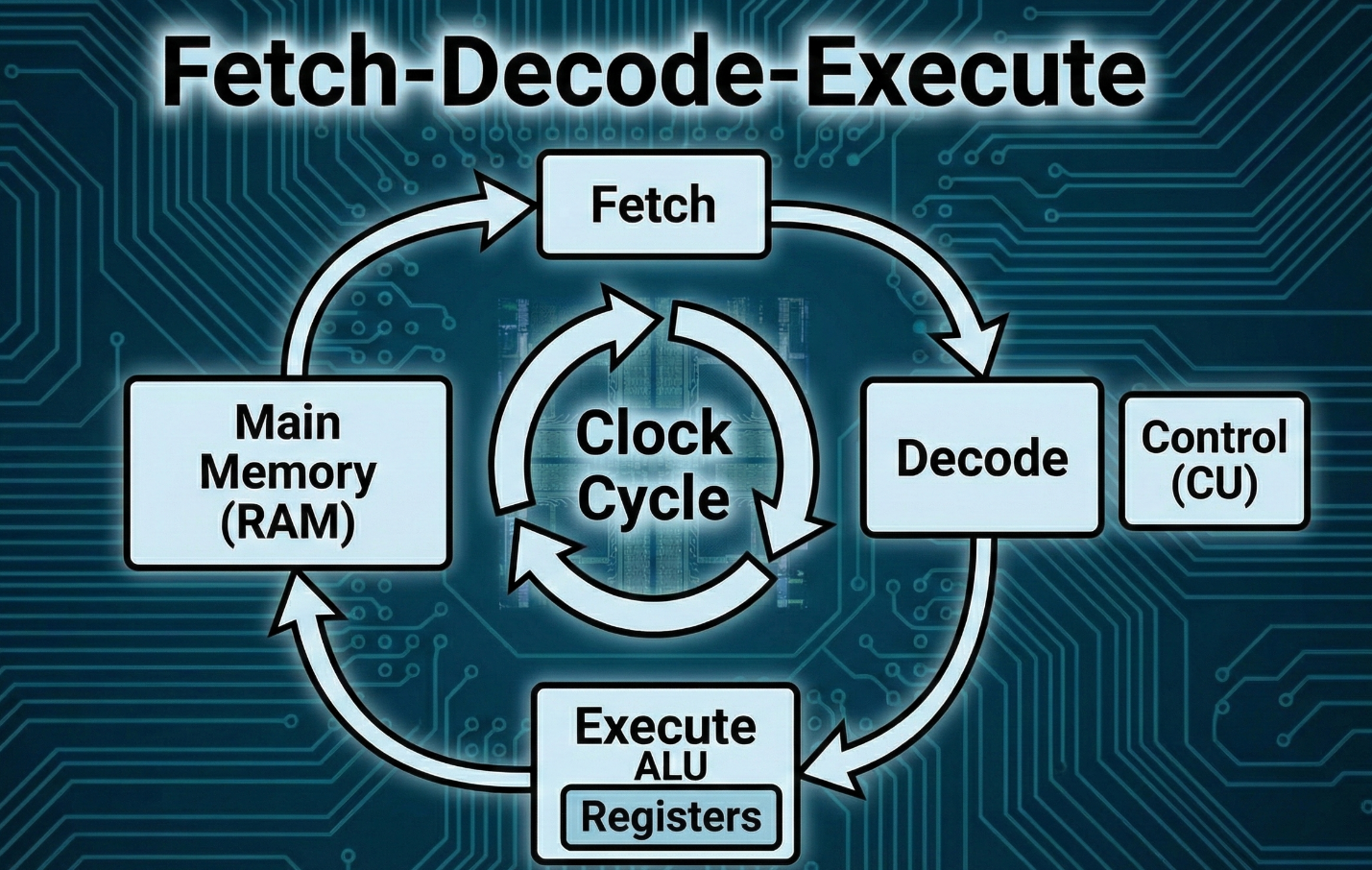
The components of the processor work together in a continuous loop called the “Fetch-Decode-Execute” cycle, which is synchronized by an internal Clock.
- Fetch: The cycle begins with the microprocessor retrieving the next instructionfrom the main system memory (RAM). The address of this instruction is provided by a special register called the Program Counter.
- Decode: Once fetched, the complex binary instruction is sent to the control unit, which interprets or “decodes” it. This step determines what specific operation (e.g., add, move, compare) needs to be performed.
- Execute: The decoded command is now acted upon. The relevant component, typically the ALU, performs the actual operation. This could be a calculation, a data transfer, or a logical decision.
- Store (Writeback): Finally, the result of the executionis written back to a designated register or to the system’s main memory, completing the cycle before the process immediately repeats with the next instruction.
Types of Microprocessors
Microprocessors are not one-size-fits-all; they are engineered with different architectures and capabilities for diverse applications. Major classifications include:
- By Application: General-purpose microprocessors(like Intel Core or AMD Ryzen) are designed for versatility in PCs and servers. Embedded microprocessors are optimized for specific control functions within larger systems, such as automotive infotainment.
- By Architecture: RISC (Reduced Instruction Set Computer)processors use a simplified set of fast instructions, while CISC (Complex Instruction Set Computer) processors have a broader, more complex set capable of doing more per instruction.
- By Data Width: This indicates the amount of data a processor can handle in one cycle. They range from older 8-bit and 16-bitprocessors to modern 32-bit and 64-bit processors, with larger bit widths enabling more powerful calculations and access to more memory.
Applications of Microprocessors
The application of microprocessors is so vast it defines the digital age. Their low cost, high reliability, and small size have led to their integration into nearly every facet of technology.
- Computers and Laptops: Serving as the central CPU.
- Smartphones and Tablets: Powering mobile operating systems and apps.
- Home Appliances: Providing programmable control in washing machines, microwaves, and smart thermostats.
- Automobiles: Managing engine control units (ECUs), anti-lock brakes, and infotainment systems.
- Industrial Machines: Controlling robotics, assembly lines, and precision instruments.
Microprocessor vs. Microcontroller
A common point of confusion is the difference between a microprocessor (MPU) and a microcontroller (MCU). While both contain a CPU, their design philosophy and use cases differ significantly, as shown in the table below.
| Feature | Microprocessor (MPU) | Microcontroller (MCU) |
| Core Function | High-speed general-purpose computing | Dedicated control for embedded systems |
| Integrated Components | Typically, just the CPU (needs external RAM, ROM, I/O) | A complete computer on a chip: CPU, memory, I/O ports |
| System Cost & Complexity | Higher (requires many external components) | Lower (all-in-one design) |
| Power Consumption | Generally higher | Optimized for low power, often battery-operated |
| Common Uses | Personal computers, servers, workstations | Appliances, car subsystems, IoT devices, toys |
Advantages and Limitations of Microprocessors
The dominance of microprocessors is driven by compelling advantages, though they are not without constraints.
Advantages:
- High Speed & Intelligence: Capable of executing billions of instructions per second and enabling complex, data-driven decision-making.
- Automation & Efficiency: They automate repetitive tasks in industry and offices, improving accuracy and productivity while reducing human intervention.
- Compact Size & Portability: Integration onto a single chip enables smaller, portable devices like laptops and smartphones.
- High Reliability: As solid-state devices with no moving parts, they are durable and reliable.
Limitations:
- Analog Signal Limitation: Being digital, they cannot process analog signals (like temperature or sound) directly, requiring additional conversion chips.
- Heat Dissipation: High-performance microprocessors generate significant heat, necessitating active cooling systems like fans or heat sinks.
- External Dependencies: Most require separate, external memory and support chips to form a complete working system, increasing overall design complexity.
- Fixed Architecture Limits: Design elements like fixed word size or physical address space can constrain performance in certain applications.
Conclusion
In summary, a microprocessor is the integrated, programmable core of modern computing. From its humble beginnings as a 4-bit calculator chip to the 64-bit, multi-core engines driving today’s technology, it has fundamentally reshaped society by embedding intelligence into machines. Its role as the indispensable brain of electronic devices is unchallenged, making it a cornerstone of electrical engineering and continuing to be vitally relevant for future innovations in fields like artificial intelligence, the Internet of Things, and beyond.